Did you know that a single photo, carousel, or short-form video can reach millions of people within hours? That’s the power of Instagram—a platform that has evolved far beyond simple photo sharing into one of the world’s most influential social media ecosystems.
Behind every viral Reel, engaging Story, or successful creator account lies a sophisticated recommendation system that constantly analyzes user behavior, content quality, and engagement signals. While many people assume success on Instagram comes down to luck, the reality is that creators who understand how the platform works consistently outperform those who simply post and hope for the best.
If you’re new to Instagram, you may wonder:
- Where should I start?
- How does the Instagram algorithm actually work?
- Why do some Reels explode while others barely get seen?
- What type of content should I post first?
- Can I really grow an audience without spending money?
The answer is yes.
Whether you’re using Instagram to share your creativity, grow a business, build a personal brand, or simply stay connected with friends, understanding how the platform works gives you a significant advantage.
This beginner-friendly Instagram guide will walk you through everything you need to know—from creating your first account to understanding Instagram’s latest features, algorithm updates, and proven growth strategies for 2026.
What Is Instagram?
Instagram is a free global social media platform launched in 2010 that allows users to share photos, videos, Stories, Reels, live broadcasts, and private messages. Over the years, it has evolved into one of the world’s largest visual communication platforms, serving creators, businesses, educators, influencers, and everyday users alike.
Owned by Meta, Instagram is no longer just a photo-sharing app. Today it combines social networking, short-form entertainment, AI-powered content discovery, online shopping, community building, messaging, and creator monetization into a single ecosystem.
Pro Tip: For a more in-depth analysis of your competitors and content creators, use our InstaLite Instagram downloader tool to download their Reels and Stories and examine their visual strategy. This will help you make your own content more targeted and effective.
Instead of only showing posts from people you follow, Instagram now recommends content from millions of creators based on your interests, viewing habits, and engagement patterns. This recommendation-driven approach allows even small creators to reach entirely new audiences when their content performs well.
For example:
- A local coffee shop can use Stories to showcase fresh pastries every morning.
- A fitness coach can publish educational Reels that reach thousands of new potential clients.
- A travel creator can combine carousel posts, Reels, and broadcast channels to build a loyal community.
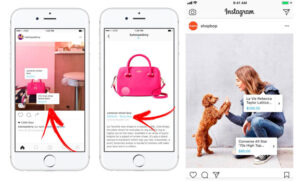
- A small ecommerce brand can tag products directly inside posts and drive purchases without leaving the app.
Instagram has also become one of the most important platforms for creator marketing and brand discovery. Many users now discover new businesses, restaurants, products, and services directly through Instagram Search, Explore, and Reels before using traditional search engines.
Unlike its early years, today’s Instagram rewards creators who consistently publish valuable content, encourage meaningful interactions, and build genuine communities rather than simply chasing likes.
Expert Insight:
One of the biggest misconceptions about Instagram is that follower count determines success. In reality, many accounts with fewer than 10,000 followers generate higher engagement, stronger customer loyalty, and better sales than accounts with hundreds of thousands of inactive followers. Building a highly engaged niche audience almost always outperforms chasing vanity metrics.
Note that you never publish content without data and analytics. By reviewing Instagram’s key metrics to measure success, you can understand what content is getting the most views and engagement.

What’s New on Instagram in 2026?
Instagram continues to introduce new tools every year. While some older features have been retired (such as Guides), the platform regularly adds capabilities that help creators produce content more efficiently and reach wider audiences.
Some of the most important developments include:
- AI-powered content recommendations that personalize every user’s Feed, Explore page, and Reels.
- Improved content search, making captions, keywords, and on-screen text increasingly important for discoverability.
- Collaborative Posts that allow two or more creators to share engagement on the same post.
- Broadcast Channels for one-to-many communication with followers.
- Expanded creator analytics that provide deeper insights into audience behavior.
- Trial Reels, allowing creators to test videos before sharing them with their followers.
- Enhanced messaging features including improved group chats, Notes, stickers, and content sharing.
- Better integrations between Instagram and Meta’s creator ecosystem for scheduling, advertising, and performance tracking.
These updates reflect Instagram’s continued shift toward rewarding original, helpful, and engaging content rather than content designed solely to manipulate the algorithm.
Why Instagram Continues to Grow
Instagram remains one of the most influential social media platforms because it serves multiple purposes within a single app. Users can:
- Discover entertainment through Reels.
- Learn new skills from educational creators.
- Shop directly from brands.
- Network professionally.
- Build personal communities.
- Follow breaking trends.
- Communicate privately through Direct Messages.
- Share everyday moments using Stories.
This combination of entertainment, education, communication, and commerce has made Instagram an essential platform for individuals and businesses alike.
Read more: To get inspiration and learn content creation techniques from popular accounts, see What are the most-followed Instagram accounts in 2026?
Pro Tip:
Instead of copying viral creators, study why their content performs well. Pay attention to their opening three seconds, storytelling style, editing pace, captions, and calls to action. Then adapt those principles to your own niche and personality. Sustainable growth comes from creating original content inspired by proven strategies—not from imitation.
If you’re analyzing competitors, downloading publicly available Reels or Stories for educational review can help you examine editing techniques, pacing, visual hooks, and content structure to improve your own creative process.
Why Understanding the Instagram Algorithm Matters
One of the biggest changes over the past few years is that Instagram no longer relies primarily on chronological feeds. Instead, every major section of the app—including Feed, Stories, Explore, and Reels—uses its own recommendation system.
Instagram evaluates hundreds of signals, including:
- Watch time
- Completion rate
- Saves
- Shares
- Comments
- Likes
- Profile visits
- Previous interactions
- Content relevance
- User interests
- Originality of content
This means creating content that people actually enjoy is far more valuable than trying to “hack” the algorithm.
Creators who consistently encourage meaningful engagement through education, entertainment, inspiration, or conversation are much more likely to receive long-term organic reach than those relying on clickbait or engagement bait.
Tip: If your Instagram feed sometimes doesn’t refresh and you don’t know why, you can easily fix this error by following this tutorial on how to fix the Refresh Feed problem on Instagram.
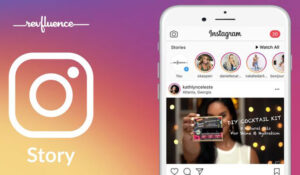
How to Use Instagram? Navigating the Features of the Instagram App
When you open Instagram, you’ll notice that the app is designed to make discovering, creating, and sharing content as intuitive as possible. Whether you’re using Instagram for personal enjoyment, growing a business, or building a creator brand, understanding how each section of the app works will help you use it more effectively.
The interface has evolved over the years, but its core navigation remains simple. Every tab serves a specific purpose, from consuming content to creating it, communicating with your audience, and tracking your growth.
If you’re wondering how to use Instagram for beginners, start by becoming familiar with the main navigation icons and how they connect to one another.
Main Navigation
Home
The Home tab is your personalized feed.
Here you’ll see content from:
- Accounts you follow
- Recommended creators
- Sponsored posts
- Suggested Reels
- Collaborative posts from creators you interact with
Unlike Instagram’s early chronological feed, today’s Home feed is powered by AI-driven recommendations. Instagram analyzes your interests and engagement history to determine which posts are most relevant to you.
Read more: Have you ever wondered who views your Stories the most or why the order of views changes? We recommend you read the article The order of Instagram Story viewers in 2026 to get a more detailed look behind the scenes of the Stories display algorithm.
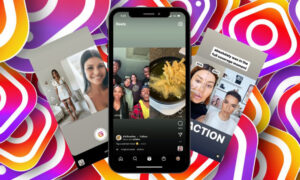
The more you interact with content you genuinely enjoy, the better your feed becomes over time.
Expert Insight:
Many creators focus entirely on publishing content while ignoring the Home feed. Spending 10–15 minutes each day engaging naturally with accounts in your niche helps Instagram better understand your interests and may improve your content recommendations and networking opportunities.
Search (Explore)
The Explore page is where Instagram helps users discover new content beyond the accounts they already follow.
You’ll find:
- Trending Reels
- Popular photos
- Educational content
- Shopping recommendations
- Local businesses
- Topic-based collections
- AI-personalized recommendations
Search has also become much smarter in recent years.
Instead of relying only on hashtags, Instagram now understands keywords within:
- Captions
- Alt text
- Profile bios
- On-screen text in videos
- Spoken words detected in videos
- Video titles
This means optimizing your captions with relevant keywords is increasingly important for discoverability.
Pro Tip:
Think about what your ideal audience would actually type into Instagram Search. Writing descriptive captions using natural language often performs better than stuffing captions with dozens of hashtags.
Create (+)
The Create button is where you publish content.
You can create:
- Photo posts
- Carousel posts
- Reels
- Stories
- Live broadcasts
Before publishing, Instagram lets you:
- Edit photos and videos
- Add filters
- Trim clips
- Include music
- Add location tags
- Mention other users
- Tag products
- Write captions
- Schedule posts (Professional accounts)
- Add accessibility alt text
For creators and businesses, planning content before publishing often leads to stronger engagement than posting spontaneously every day.
Consider that if you want your Reels to get the most views, posting time is crucial! Be sure to get data about the Best Time to Post Reels on Instagram to know exactly when you’ll get the most engagement.
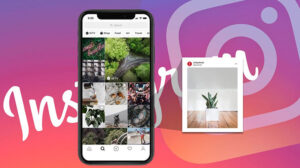
Reels Tab
The Reels tab is dedicated entirely to short-form vertical videos.
This is one of Instagram’s strongest discovery surfaces because users regularly see content from creators they’ve never followed before.
Instagram prioritizes Reels that:
- Hold attention
- Generate high watch time
- Receive shares
- Earn saves
- Encourage comments
- Demonstrate originality
While trends can help increase visibility, educational, entertaining, or emotionally engaging videos often have a longer lifespan than content based solely on trending audio.
Expert Insight:
Many high-performing Reels don’t go viral immediately. It’s common for Instagram to continue recommending quality videos for several days—or even weeks—after they’re published. Avoid deleting content too quickly simply because it didn’t perform well during the first 24 hours.
Read more: To boost your content visibility, it’s crucial to understand the rules behind Instagram’s feed and Reels. Learn more in What Is the Instagram Algorithm in 2026.
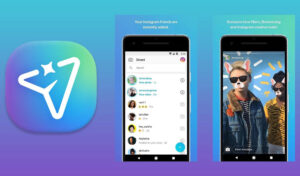
Profile
Your profile acts as your digital homepage.
Visitors can quickly see:
- Your profile photo
- Bio
- Website link
- Contact buttons
- Highlights
- Posts
- Reels
- Tagged content
A well-optimized profile immediately tells visitors:
- Who you are
- What you offer
- Why they should follow you
Your bio should clearly communicate your value in one or two concise sentences while including relevant keywords where appropriate.
Top Navigation
At the top of the app, you’ll find access to several additional features:
Direct Messages (DMs)
Private messaging allows users to:
- Chat individually
- Create group conversations
- Share posts privately
- Send disappearing photos
- React with emojis
- Use stickers and GIFs
- Start voice or video calls
For businesses, DMs have become one of Instagram’s strongest customer communication channels.
Notifications
The Notifications tab keeps you informed about:
- Likes
- Comments
- New followers
- Mentions
- Story interactions
- Replies
- Broadcast Channel updates
- Collaboration invitations
Monitoring notifications regularly allows creators to respond quickly and strengthen audience relationships.
Read more: The “Ask Me a Question” sticker is a great tool for connecting directly with your followers. To learn all the details and tricks, don’t miss the information.
Account Settings
Settings allow you to manage:
- Privacy controls
- Account security
- Two-factor authentication
- Content preferences
- Notifications
- Professional tools
- Meta Account Center
- Advertising preferences
Taking a few minutes to configure privacy and security settings is one of the smartest things new users can do.
One of the most effective ways to increase engagement with your audience is to use Instagram’s Live feature. In the article How to go live on Instagram you’ll learn step by step how to conduct a professional live and create real engagement.
Professional Dashboard
If you’re using a Creator or Business account, the Professional Dashboard becomes one of the most valuable sections of Instagram.
It provides insights into:
- Reach
- Impressions
- Profile visits
- Watch time
- Engagement rate
- Follower growth
- Audience demographics
- Top-performing content
- Monetization opportunities
Rather than guessing what works, successful creators regularly review these analytics to guide future content decisions.
Choosing the right hashtags can multiply your views! To find the best hashtags and get more views for your reels, read the article Effective Hashtags for Instagram Reels to make the best decision for success.
Pro Tip:
Review your analytics every two to four weeks instead of obsessing over individual posts. Long-term trends provide much more meaningful insights than short-term performance fluctuations.
How Instagram’s Recommendation System Works
One of the biggest misconceptions is that Instagram uses a single algorithm.
In reality, each area of the platform—including Feed, Stories, Explore, and Reels—uses different ranking systems designed around specific user behaviors.
Instagram considers hundreds of signals, including:
- Previous interactions
- Viewing history
- Watch time
- Shares
- Saves
- Comments
- Likes
- Content relevance
- Posting consistency
- User interests
- Originality
While engagement remains important, Instagram increasingly rewards content that keeps users interested rather than content that simply collects likes.
If you want to connect directly and purposefully with your followers, get complete data about the Instagram Broadcast Channel. This tool helps you get your content and information right into the hands of your audience.
Why Analytics Should Guide Every Content Strategy
Publishing without reviewing your performance is like driving without a map.
Instagram Insights help answer questions such as:
- Which content formats perform best?
- When is your audience most active?
- Which Reels generate the highest watch time?
- Which Stories drive profile visits?
- Which posts earn the most saves?
- Which content converts followers into customers?
Using these metrics consistently allows creators to improve content quality over time instead of relying on guesswork.
What is Instagram Used for?
Instagram has grown far beyond a simple photo-sharing application. Today, it serves as a powerful platform for communication, education, entertainment, commerce, and community building.
Whether you’re an individual user, content creator, entrepreneur, educator, or global brand, Instagram offers tools that help you reach specific goals through visual storytelling and meaningful interaction.
Let’s explore its most common uses.
Personal Use
Millions of people use Instagram every day to document their lives, express creativity, and stay connected with family and friends.
Popular personal uses include:
- Sharing travel experiences
- Posting family milestones
- Documenting hobbies
- Following favorite celebrities
- Watching entertaining Reels
- Discovering restaurants and destinations
- Staying informed about trends
- Saving inspirational ideas
Many users also use Instagram as a personal archive, preserving memories through posts, Stories, and Highlights.
Community Building
One of Instagram’s greatest strengths is its ability to connect people with shared interests.
Communities thrive around topics such as:
- Fitness
- Photography
- Fashion
- Gaming
- Food
- Travel
- Art
- Technology
- Parenting
- Education
Creators build loyal audiences through:
- Interactive Stories
- Live sessions
- Broadcast Channels
- Comments
- DMs
- Collaborative Posts
These interactions help transform casual followers into active community members.
Expert Insight:
Smaller communities often generate stronger engagement than massive audiences. Responding consistently to comments and DMs creates trust that algorithms alone cannot build.
Business and Marketing
Instagram has become one of the world’s most important digital marketing platforms.
Businesses use Instagram to:
- Build brand awareness
- Generate leads
- Launch products
- Drive website traffic
- Increase online sales
- Showcase customer testimonials
- Share behind-the-scenes content
- Run paid advertising campaigns
- Partner with influencers
- Provide customer support
Features like product tagging, Shops (where available), click-to-message ads, and professional insights make Instagram a valuable sales channel for businesses of all sizes.
Creator Economy and Personal Branding
For creators, Instagram is more than a social network—it’s a business platform.
Creators use Instagram to:
- Build personal brands
- Secure sponsorships
- Promote courses
- Sell digital products
- Offer coaching
- Drive newsletter subscriptions
- Grow YouTube channels
- Attract podcast listeners
- Build email lists
Many successful creators diversify their income by combining multiple revenue streams rather than relying solely on brand partnerships.
Education and Learning
Instagram has become a surprisingly effective educational platform.
Experts across nearly every industry share:
- Tutorials
- Tips
- Industry news
- Infographics
- Mini courses
- Case studies
- Before-and-after examples
- Professional advice
Short-form educational content performs particularly well because users can learn something valuable in under a minute.
Shopping and Product Discovery
Instagram increasingly influences purchasing decisions.
Users regularly discover:
- Fashion brands
- Beauty products
- Restaurants
- Travel destinations
- Home décor
- Software tools
- Local businesses
Many consumers now research products on Instagram before making purchasing decisions elsewhere.
Networking and Professional Growth
Instagram isn’t just for influencers.
Professionals use it to:
- Showcase portfolios
- Build authority
- Network with industry peers
- Recruit talent
- Share company culture
- Generate speaking opportunities
- Establish thought leadership
A strong Instagram presence can complement LinkedIn and other professional platforms by adding a more personal, visual dimension to your brand.
Entertainment
Entertainment remains one of Instagram’s core purposes.
Users spend hours enjoying:
- Comedy Reels
- Sports highlights
- Music clips
- Animal videos
- Behind-the-scenes content
- Lifestyle creators
- Trending memes
- Viral challenges
Instagram’s recommendation system continuously adapts to individual preferences, making every user’s experience unique.

Finally, make sure to keep your account secure! Changing your password is the easiest way to protect your account. For a complete, step-by-step guide, check out the article carefully.